How to Recover your Access Code
When you purchase a Program at
GinaLivy.com/Shop
, you'll receive an email with your Access Code to unlock the Program in the Livy Method App.
Sometimes, though, members lose, can't find, or never receive their Access Codes.
In this post, we'll show you how to recover your Access Code using your the email and Order Number associated with your purchase.
1. Tap "How do I find my access code?"

2. Tap "Recover 7-letter code"

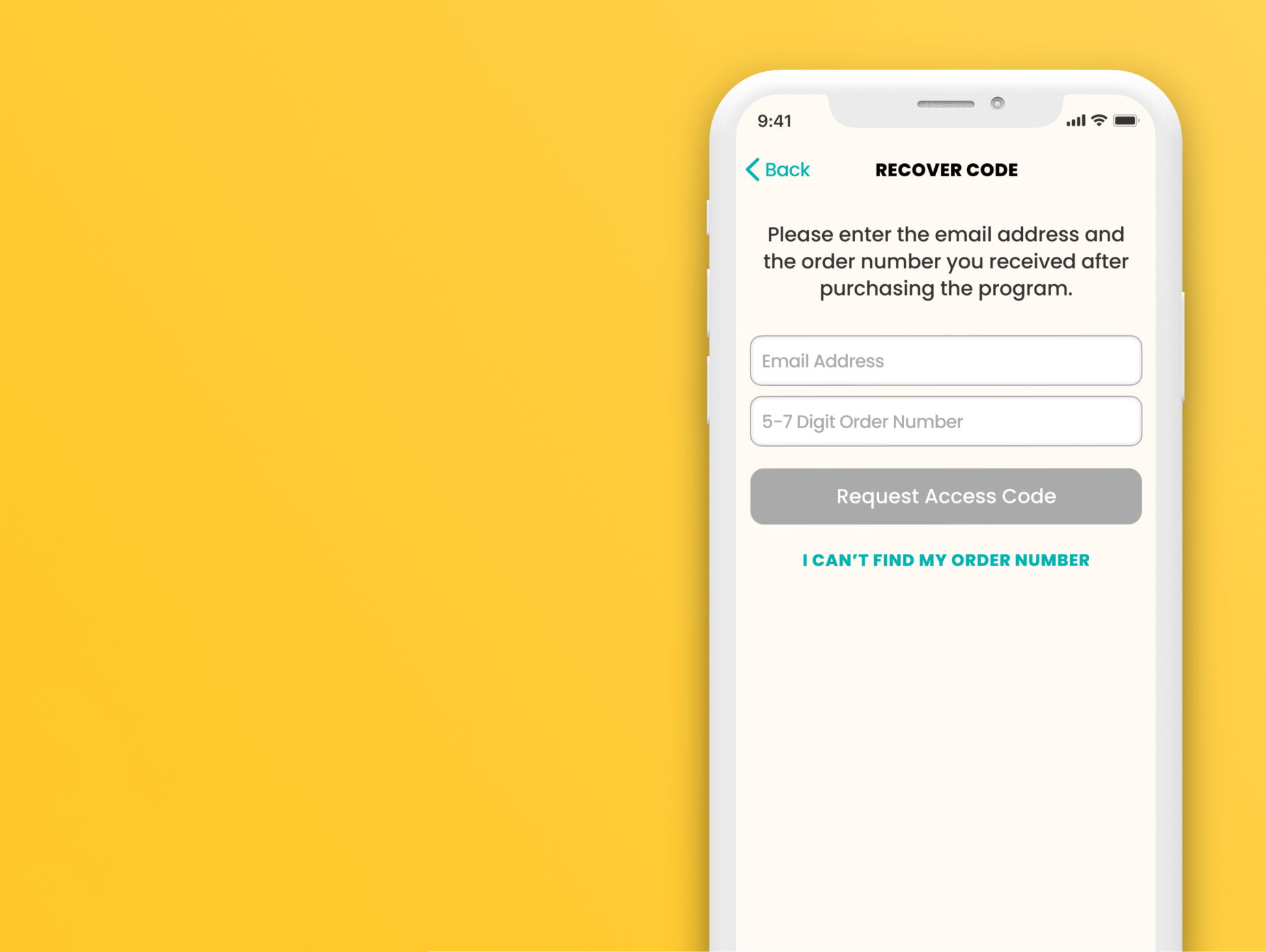
3. Input the email address as well as the 5-6 digit Order Number associated with your purchase. Then tap the "Request Access Code" button.

After this step, the App will provide you with your Access Code if the information given matches a purchase we have on file.
If you've achieved this, you're done!
If not...
4. Tap "I can't find my order number" if you don't have your Order Number

5. Input the email you used when purchasing the Program and tap "Send Recovery Email"

If your email matches one associated with a purchase order, you will receive an email in your inbox which includes your Access Code. Please also check the spam folder if you do not see it.

If you still are unable to retrieve your Access Code, please contact
techsupport@ginalivy.com
for assistance.
NEXT:
How to Setup your Profile